




The way the app has organised the lessons. It starts from the scratch and slowly moves to the core part. It helps me to improve my typing skill. Previously, I typed by seeing the keypad now I can type without seeing the keypad with good speed.

The skilling is neurologically patterned to make the exercises more fun and magically easy as they advance in complexity.

This is a valuable tutorial which is always prompting me to improve typing skills.

Typesy is a program that is very user friendly for all ages. The lessons are quick and easy and can be completed during a lunch break. There is a sense of accomplishment when you earn badges — who doesn’t like a gold star?

There is an initial test that measures your current typing speed & accuracy before recommending courses. This program allows you to choose the areas you want to improve. I’ve only been using this program for a short period, and I’ve already seen a massive increase in my proficiency!

Complicated login issue solved. Team was friendly, professional, and solution-minded.

Brushing up was fun. Helped me fix bad habits and become more proficient.

Improved my typing speed within a month. Essential for my job; productivity increased. Support very helpful.

So much content and value. Live chat support. Word lists, dictionary, and custom texts — a hidden gem.


Qualify for more jobs. Become up to 63% more efficient with work and social communication.
People will instantly recognize that you're computer savvy. It feels good to master technology.

Fast typing and app mastery will save you between 4 and 47 hours per month. Spend more time with family, less on work.
Bad typing technique is likely giving you painful RSI and inflammation. Correct typing can fix this.
Qualify for more jobs. Become up to 63% more efficient with work and social communication.
People will instantly recognize that you're computer savvy. It feels good to master technology.
Fast typing and app mastery will save you between 4 and 47 hours per month. Spend more time with family, less on work.
Bad typing technique is likely giving you painful RSI and inflammation. Correct typing can fix this.


Learning with Typesy isn't just about watching videos and taking notes. It's an engaging platform specifically engineered by experts to help you retain information and learn new skills as fast as possible. Typing, computer skills, IT, business — all easily mastered with Typesy. Plus, while you learn, you'll be increasing your typing speed to WPMs you never thought possible.


Hundreds of scientifically designed computer activities train your mind and fingers.

Your expert instructor takes you by the hand and guides you at every step. We show you exactly what to do, and how to do it. Typesy's EasyLearn™ technology combines video instruction with computer activities for lightning-fast results.

20 games, thousands of exercises and videos — created to keep you engaged and entertained. Typesy makes learning to type fun and entertaining.

Choose a background and keyboard theme, turn on dark mode, select a profile picture, or even build an avatar. Making Typesy yours helps you feel connected and engaged as you take your skills to new heights.

Typesy continually tracks your progress and adapts lessons so that you're always learning in the most productive and effective way possible. You'll master valuable typing, computer, and workplace productivity skills in half the time of other learning approaches.

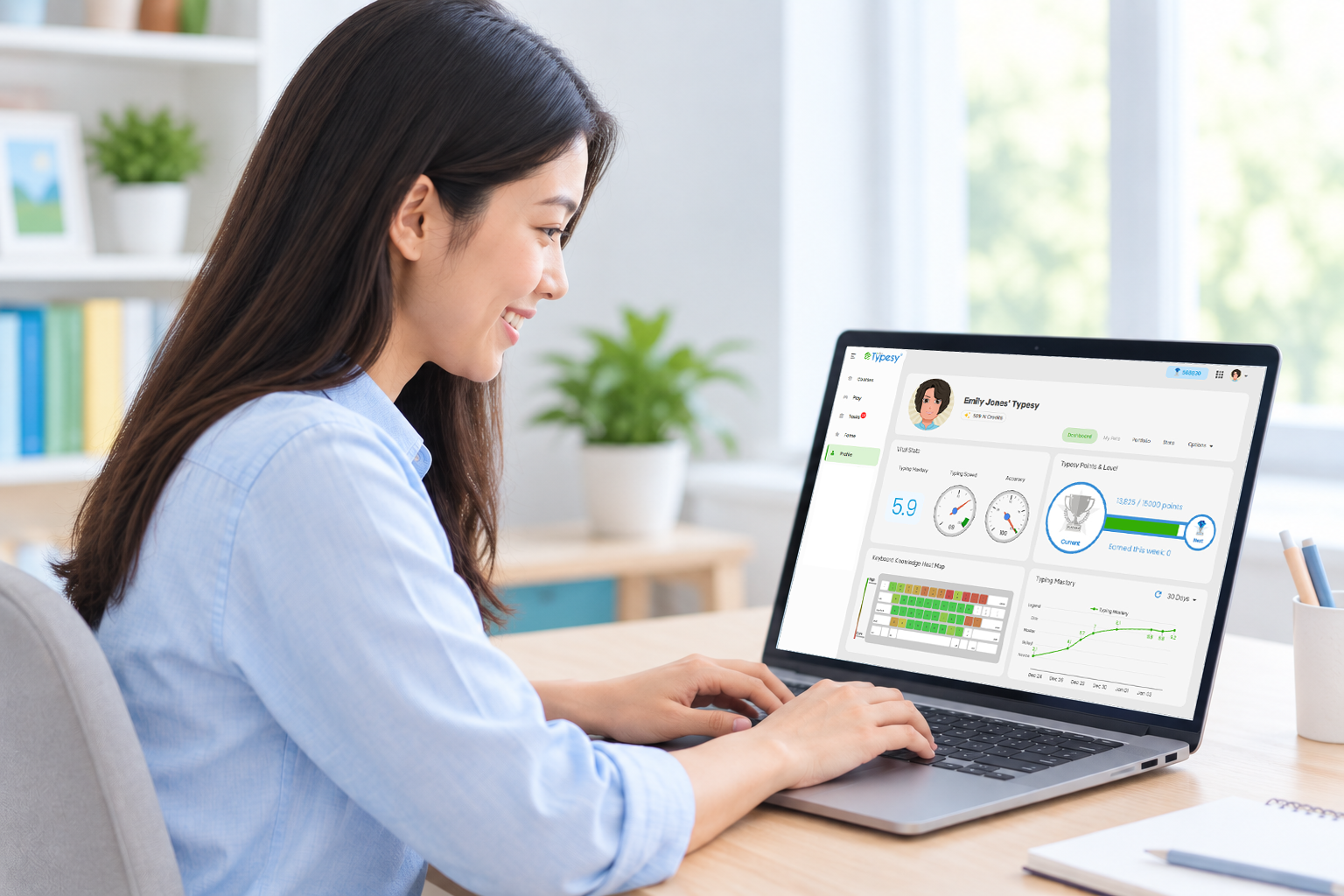
Advanced monitoring technology lets you track and personalize your learning. Easily see your learning data and progress for the last day, week, month, or year.

Typesy tests your current typing speed and gives recommendations for ideal goals.

Typesy stores everything in the cloud, and all your devices automatically stay in sync. You get unlimited installs on all your Windows, Mac, iPad, Android tablet, and Chromebook devices. Start training on one computer, and continue right where you left off on the next.
Learning with Typesy isn't just about watching videos and taking notes. It's an engaging platform specifically engineered by experts to help you retain information and learn new skills as fast as possible. Typing, computer skills, IT, business — all easily mastered with Typesy. Plus, while you learn, you'll be increasing your typing speed to WPMs you never thought possible.
Hundreds of scientifically designed computer activities train your mind and fingers.
Your expert instructor takes you by the hand and guides you at every step. We show you exactly what to do, and how to do it. Typesy's EasyLearn™ technology combines video instruction with computer activities for lightning-fast results.
20 games, thousands of exercises and videos — created to keep you engaged and entertained. Typesy makes learning to type fun and entertaining.
Choose a background and keyboard theme, turn on dark mode, select a profile picture, or even build an avatar. Making Typesy yours helps you feel connected and engaged as you take your skills to new heights.
Typesy continually tracks your progress and adapts lessons so that you're always learning in the most productive and effective way possible. You'll master valuable typing, computer, and workplace productivity skills in half the time of other learning approaches.
Advanced monitoring technology lets you track and personalize your learning. Easily see your learning data and progress for the last day, week, month, or year.
Typesy tests your current typing speed and gives recommendations for ideal goals.
Typesy stores everything in the cloud, and all your devices automatically stay in sync. You get unlimited installs on all your Windows, Mac, iPad, Android tablet, and Chromebook devices. Start training on one computer, and continue right where you left off on the next.


With Typesy, you get access to high-quality video from leading experts in typing, computer, and career training. Combine these with our advanced typing exercises and you’ll be reaching your goals within days.
Allan Murray is a Microsoft Excel trainer and consultant. He has been training and consulting for the past 20 years for businesses around the world.

Brian Jackson is an author, publisher, and educator, and a leading expert in MS Office. Since 2014 he has published 48 online video training courses.

Kawser Ahmed is a full-time data analysis blogger, corporate Excel trainer, and entrepreneur. He loves to make courses that combine theory and practice.

John Bura has been a successful instructor since 2011. John is the owner of the game development studio Mammoth Interactive.

Danny Ballan is an educational technology designer who has designed content for a global educational corporation used by schools all over the world for more than six years.

Cliff has a Master of Science in Cyber Security from UMUC (2015) and Master of Science in Information Technology from Capella University (2007).

Fran is CEO and Founder of Meijin Limited. He's also an Apple Business Trainer for one of the top Fortune 500 companies.

Amanda has been a teacher for over five years, both in the US and overseas, and is passionate about helping people discover the power of technology in learning.

Laurence Svekis has been teaching web development courses and digital marketing since 2002. He focuses on technology solutions to enhance the online experience.

TJ Walker is a best-selling course trainer focused on media training and communication skills. He is the founder of Media Training Worldwide, with workshops in over two dozen countries.


Your Typesy subscription includes accounts for up to 5 users at no additional cost. With 600+ hours of training covering typing, IT, career, and more, there’s something for everyone in the family. Plus, each member will get their own individual profile on the cloud, allowing them to use multiple devices.
Typesy provides the industry’s most trusted typing certification program — included absolutely free with your subscription. Once you complete the requirements, Typesy will generate your personalized diploma, ready for you to print and add to your resume! We even provide a free verification service for employers. Landing your dream job just got a lot easier.

You can start using Typesy in the next 5 minutes, at absolutely no cost. There is no charge for the first 7 days, and you can cancel anytime, even before you are charged.
Choose your billing
5 users included
Yearly Plan
First 7 days: FREE
$84 paid yearly
Save 36% vs monthlyCancel anytime before renewal. No charges during your 7-day trial.
Absolutely! The single price includes unlimited installations on Windows, Mac, iPad, Android Tablet, Web, and Chromebook. All your data, account, results, and course progress are automatically kept in sync between devices. You can train anywhere and access your account.
Absolutely not! Typesy has been designed from the ground up to be easy to use and requires no technical knowledge. It can be downloaded and installed in a few clicks. You also get unlimited access to our support team should you need any help.
This is a fair question. Even though 99% of Internet sites are legitimate, there is an unfortunate 1% of scammers who make life difficult for the rest of us. You can be sure Ereflect is legitimate because we are backed by the top Internet security company, GeoTrust. For further reassurance, feel free to google “Typesy reviews” to see what others are saying.
If you use Typesy for 7 minutes per day, you will be able to touch type in just one week. After 2–4 weeks, you will see a dramatic improvement. We guarantee that you will triple your typing speed (for untrained typists) or increase it by 35% (for previously trained touch typists).
Typesy is appropriate for all ages from 7 and up.
Typesy supports all languages that read left-to-right and top-to-bottom. Although the menus and courses are in English, you can import and use typing exercises in any language.
Currently Typesy supports US, UK, Australian, Canadian, Spanish, and Brazilian keyboard layouts.
Typesy can easily run on any device that runs Windows, Mac OS, Chrome OS, iPad OS, or Android.