




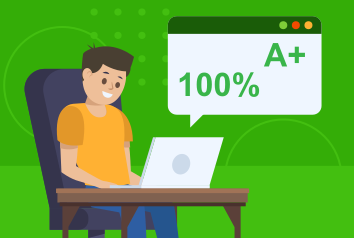
Students with fast and accurate typing will do better in computer-based tests, lifting results for the student, and also the entire school.

Typesy includes 3,129 TEKS lessons. Students with good keyboarding skills can meet and exceed these standards.

Keyboarding is closely tied to computer literacy, equality of access, and educational outcomes in all areas.
Students with fast and accurate typing will do better in computer-based tests, lifting results for the student, and also the entire school.
Typesy includes 3,129 TEKS lessons. Students with good keyboarding skills can meet and exceed these standards.
Keyboarding is closely tied to computer literacy, equality of access, and educational outcomes in all areas.

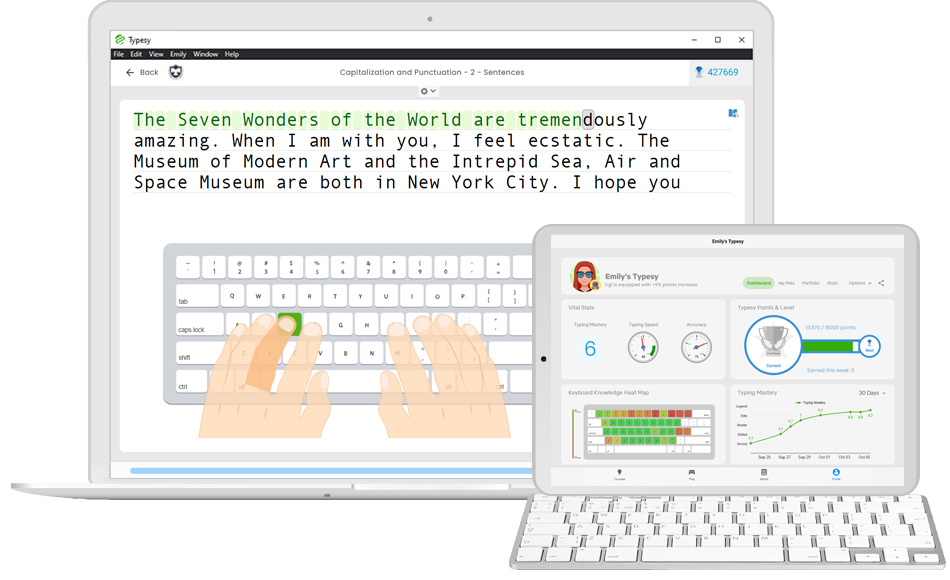

Students can be talented, well taught, and otherwise well prepared. But if they can't translate their thoughts to a computer, they will be at a massive disadvantage on their test. Typesy is designed for districts that need to prepare for computer-based state tests. Typesy uses a structured curriculum and the science of muscle memory to make students lightning-fast and ultra-efficient with the computer. So your students can focus on the perfect answer rather than fumbling around on the computer.
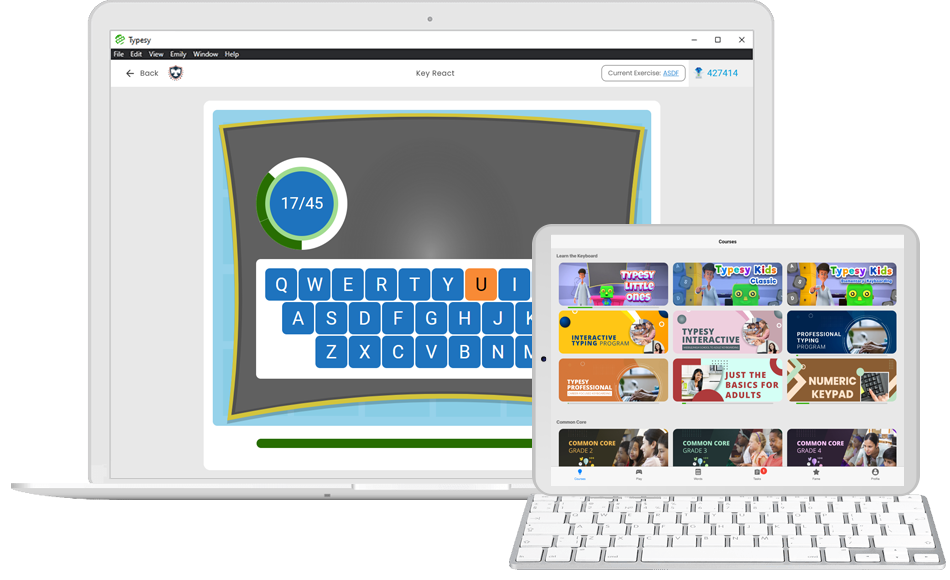

Typesy's exercises are scientifically designed to train muscle memory through a series of structured repetitions — ensuring students build real, lasting keyboarding skills.
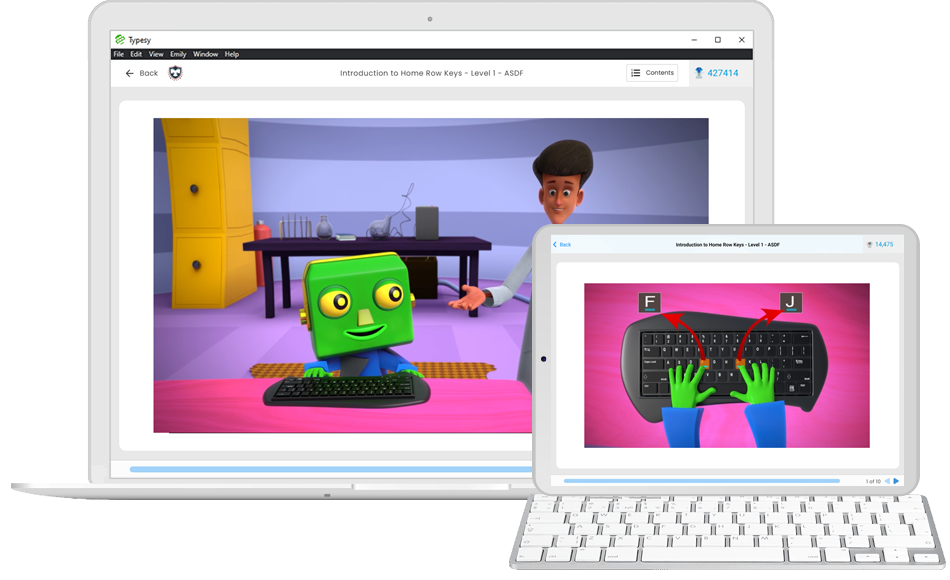
Typesy is the only program to use immersive 3D animated stories to keep your students engaged and loving the process of learning to type.
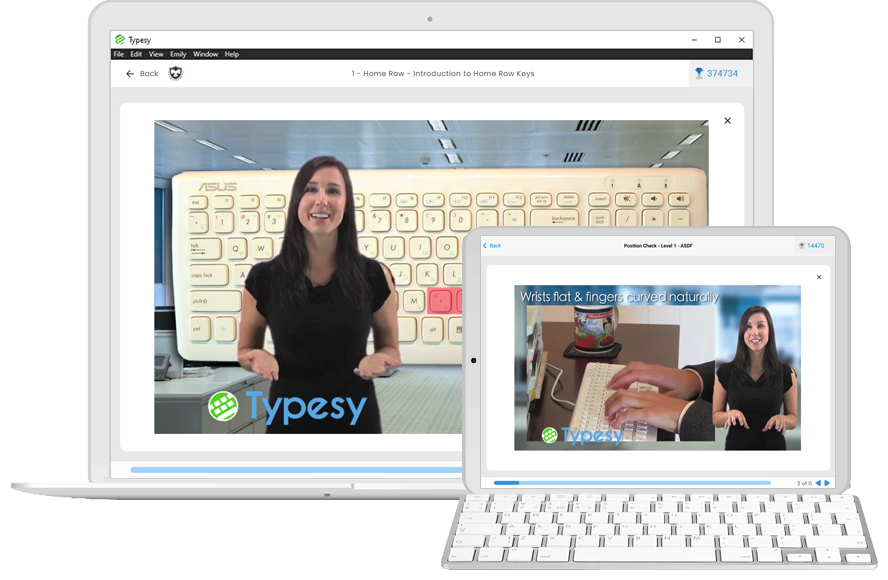
Typesy is the only program to teach correct keyboarding technique through powerful video technology. Students can access thousands of in-depth video lessons.
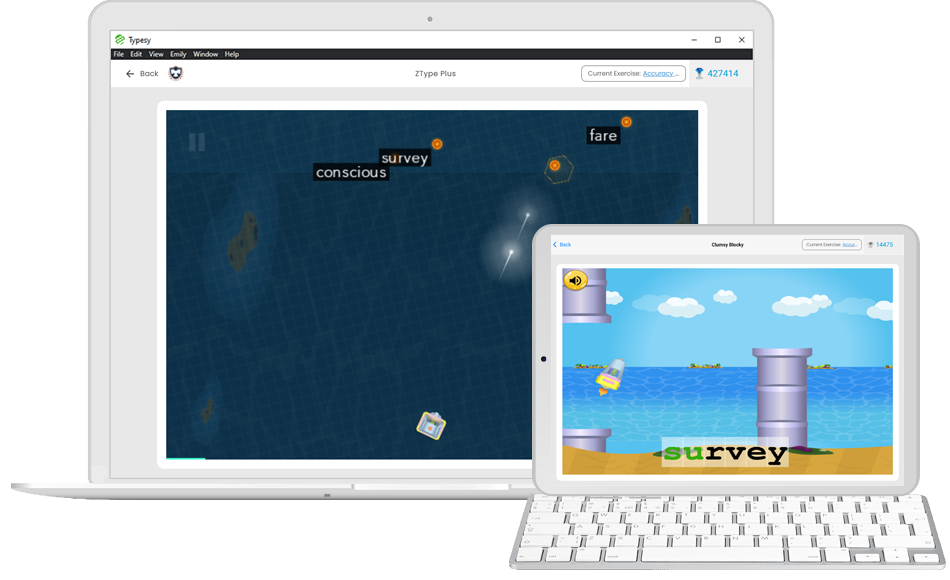
Students love the fun games that make learning to touch type a breeze. As they learn, students are gradually rewarded with game access to increase engagement and motivation.

Students are motivated because they can see their results. Real-time progress tracking keeps learners accountable and gives teachers the data they need.

Students get to build and enhance their personal avatar as a reward for better typing — creating a fun, personalized incentive to keep improving.
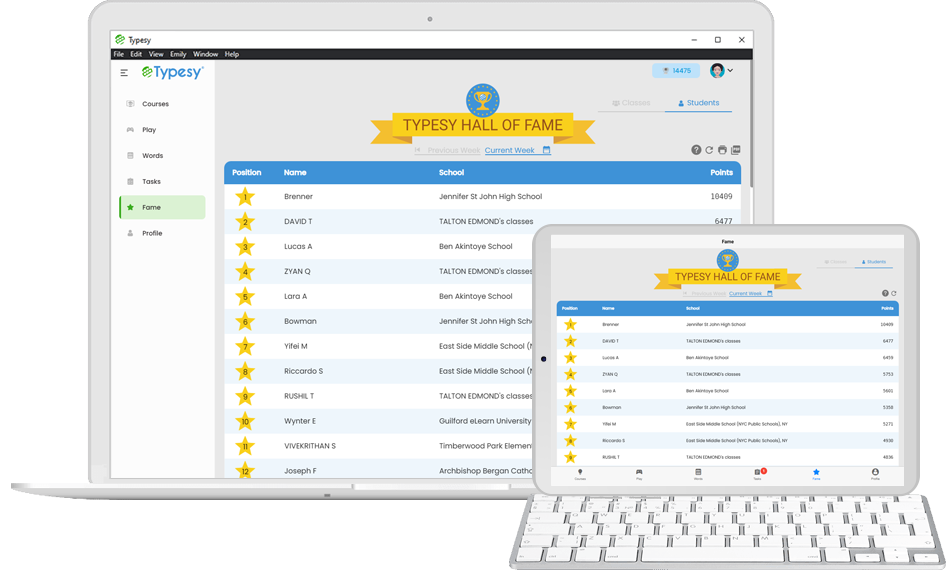
Students can engage in friendly, constructive competition to enhance motivation. The hall of fame can be global, class/school-based, or — if teachers prefer — disabled entirely.
Students can be talented, well taught, and otherwise well prepared. But if they can't translate their thoughts to a computer, they will be at a massive disadvantage on their test. Typesy is designed for districts that need to prepare for computer-based state tests. Typesy uses a structured curriculum and the science of muscle memory to make students lightning-fast and ultra-efficient with the computer. So your students can focus on the perfect answer rather than fumbling around on the computer.
Typesy's exercises are scientifically designed to train muscle memory through a series of structured repetitions — ensuring students build real, lasting keyboarding skills.
Typesy is the only program to use immersive 3D animated stories to keep your students engaged and loving the process of learning to type.
Typesy is the only program to teach correct keyboarding technique through powerful video technology. Students can access thousands of in-depth video lessons.
Students love the fun games that make learning to touch type a breeze. As they learn, students are gradually rewarded with game access to increase engagement and motivation.
Students are motivated because they can see their results. Real-time progress tracking keeps learners accountable and gives teachers the data they need.
Students get to build and enhance their personal avatar as a reward for better typing — creating a fun, personalized incentive to keep improving.
Students can engage in friendly, constructive competition to enhance motivation. The hall of fame can be global, class/school-based, or — if teachers prefer — disabled entirely.



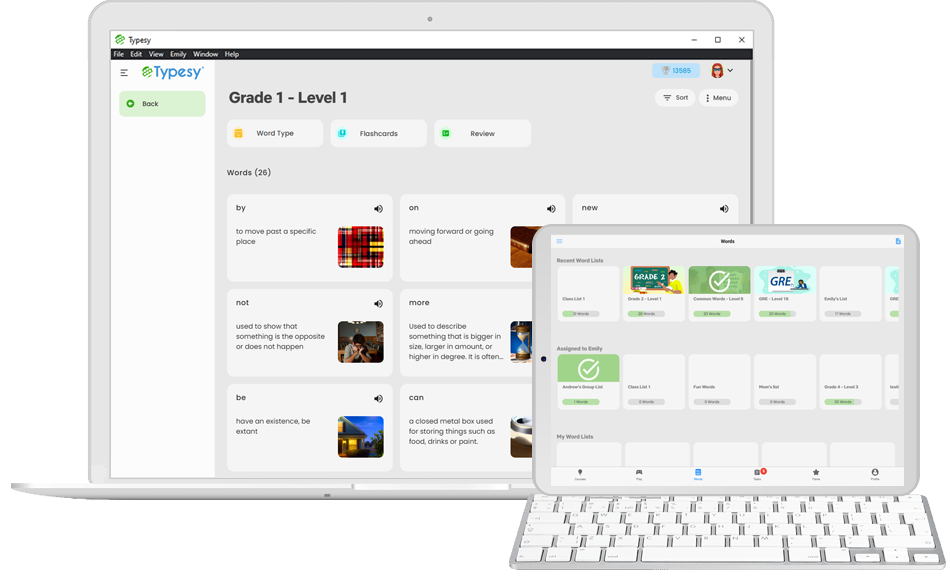
At its heart, typing is words and language. Therefore, improving literacy skills as students learn to type and vice versa makes perfect sense. That’s why Typesy includes a host of powerful learning tools to increase vocabulary, spelling, and literacy.
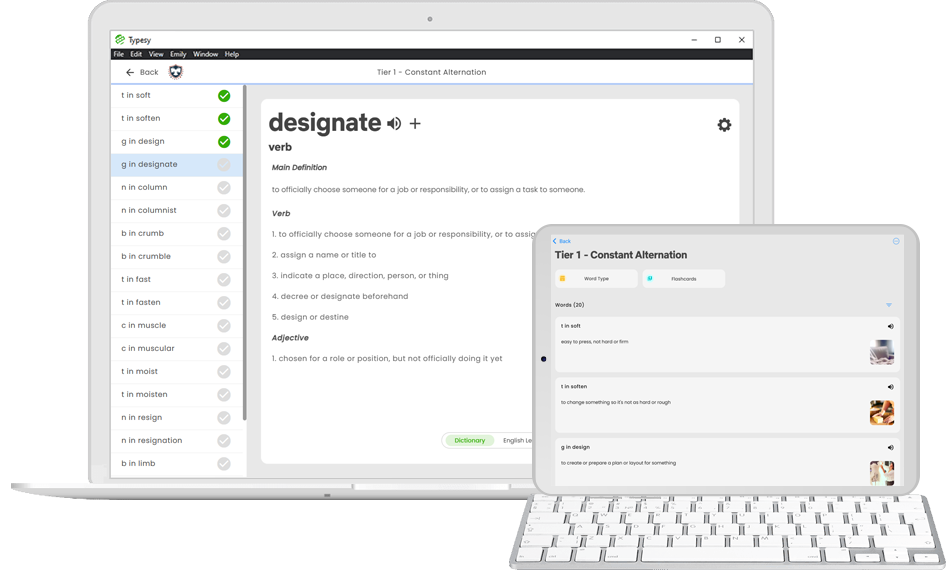
Typesy includes hundreds of standards-aligned word lists for all grade levels, all compiled by curriculum experts. Students can practice typing with the lists or use Typesy’s rich word learning tools.
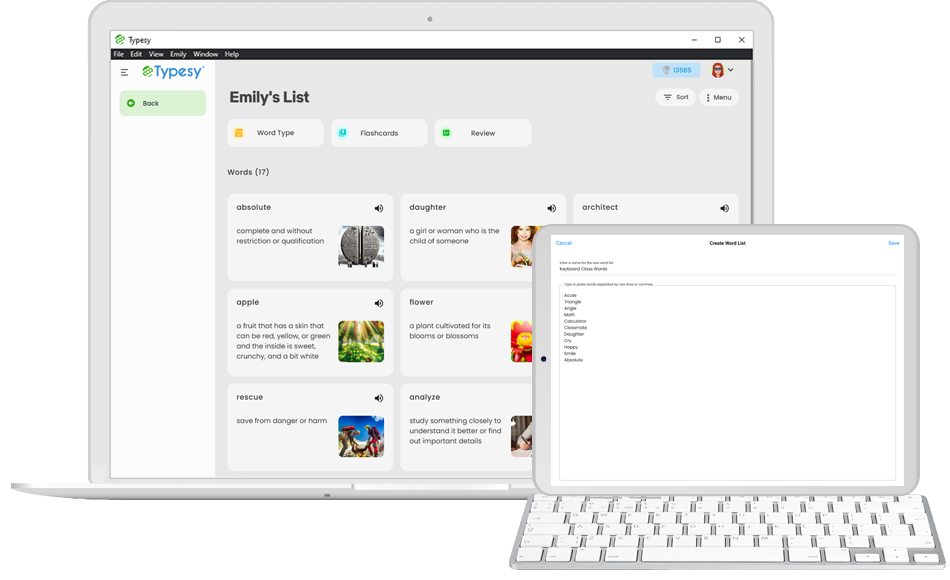
In just a few clicks, a teacher can create and share a word list for students to study. Typesy automatically adds a wealth of learning information for any English word, or the teacher can enter custom definitions.
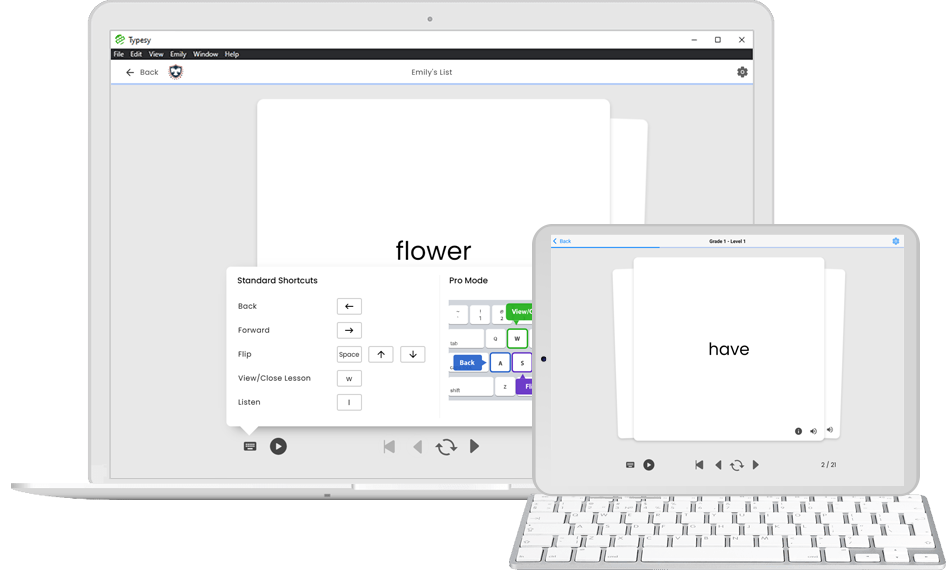
Typesy’s flash cards are a great way to supplement learning. Share any word list with a class (built-in or custom) and watch the students master their new vocabulary in no time. Typesy’s flash cards are a joy to use and include powerful features such as keyboard shortcuts, auto or manual advance, and personalization options.
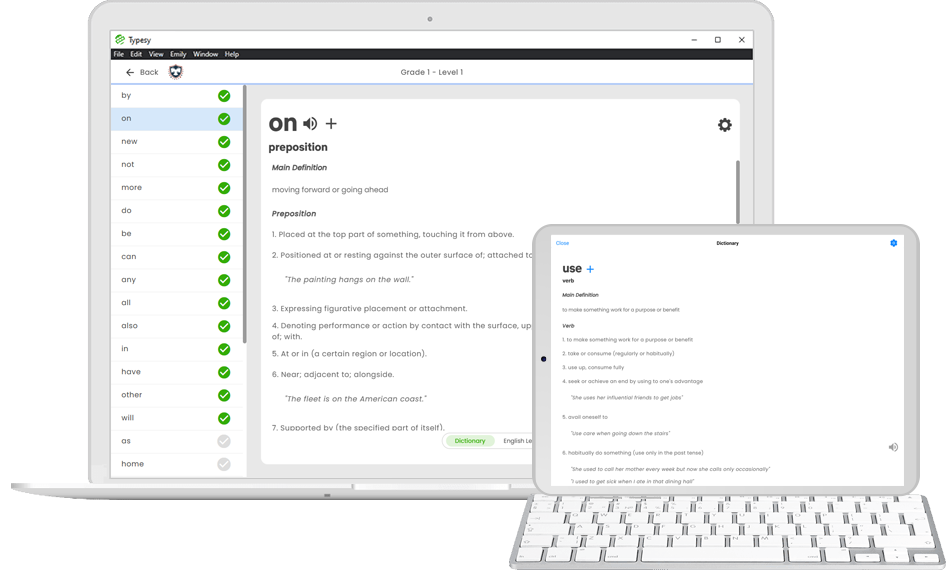
Typesy includes a 146,902-word built-in dictionary, so any word you need to add to a list is right there at your fingertips. Simply enter any word list, and all of Typesy’s features will work automatically. Students can even look up unfamiliar words in-line as they do typing drills.
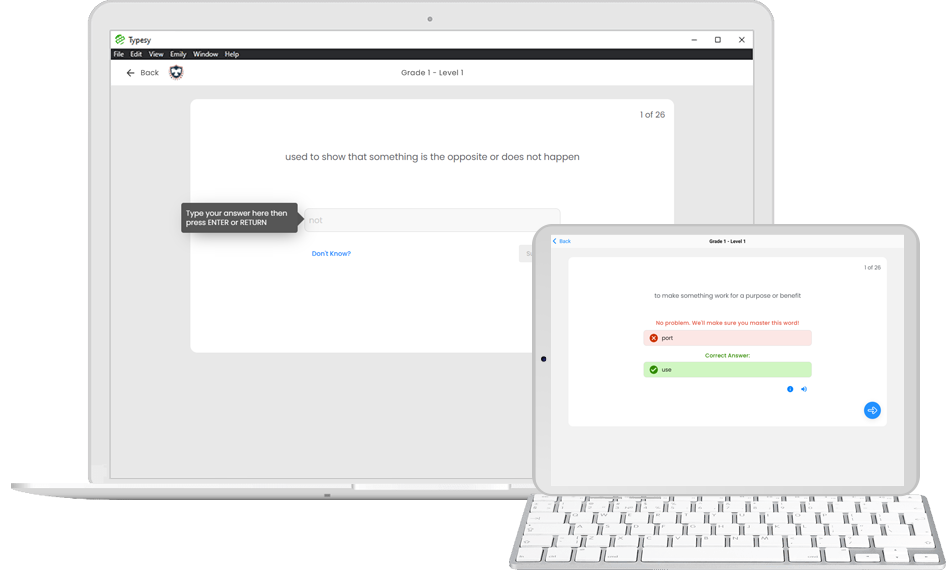
With Typesy, students can practice assigned spelling words as they boost their typing speed.
At its heart, typing is words and language. Therefore, improving literacy skills as students learn to type and vice versa makes perfect sense. That’s why Typesy includes a host of powerful learning tools to increase vocabulary, spelling, and literacy.
Typesy includes hundreds of standards-aligned word lists for all grade levels, all compiled by curriculum experts. Students can practice typing with the lists or use Typesy’s rich word learning tools.
In just a few clicks, a teacher can create and share a word list for students to study. Typesy automatically adds a wealth of learning information for any English word, or the teacher can enter custom definitions.
Typesy’s flash cards are a great way to supplement learning. Share any word list with a class (built-in or custom) and watch the students master their new vocabulary in no time.
Typesy includes a 146,902-word built-in dictionary, so any word you need to add to a list is right there at your fingertips.
With Typesy, students can practice assigned spelling words as they boost their typing speed.
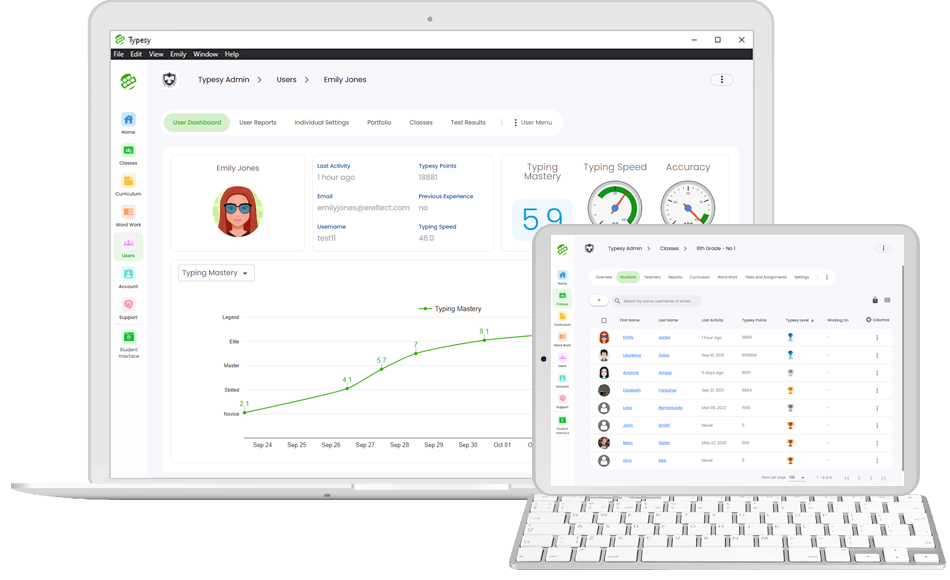
Typesy gives teachers complete visibility and easy control. At a quick glance, you can see how the class is doing, how each student is doing, and who needs help. And if you prefer to be hands-on, you can drill down to see detailed reports for each student. Data is updated "live" in front of your eyes as students type.
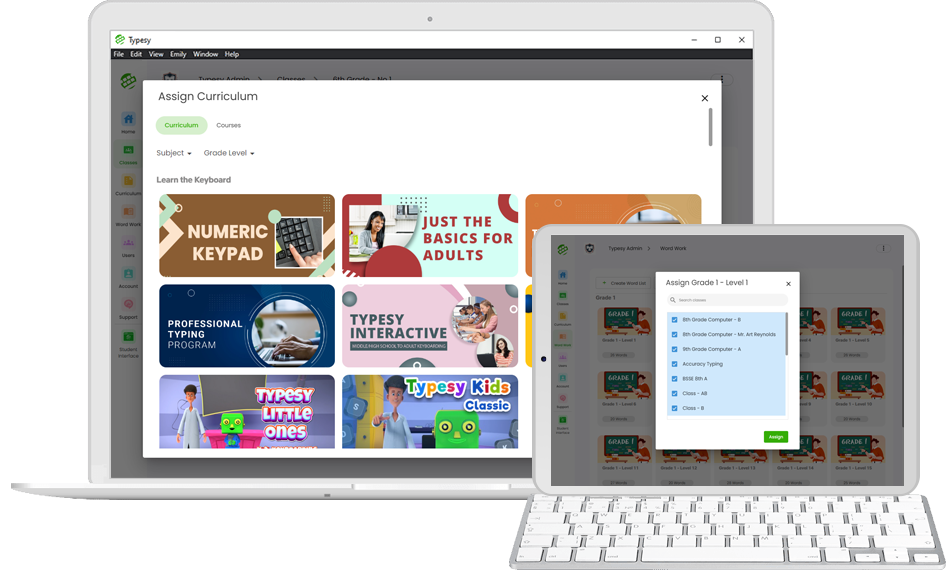
Typesy makes it super easy for teachers or admins to assign curricula and word lists to schools and classes.
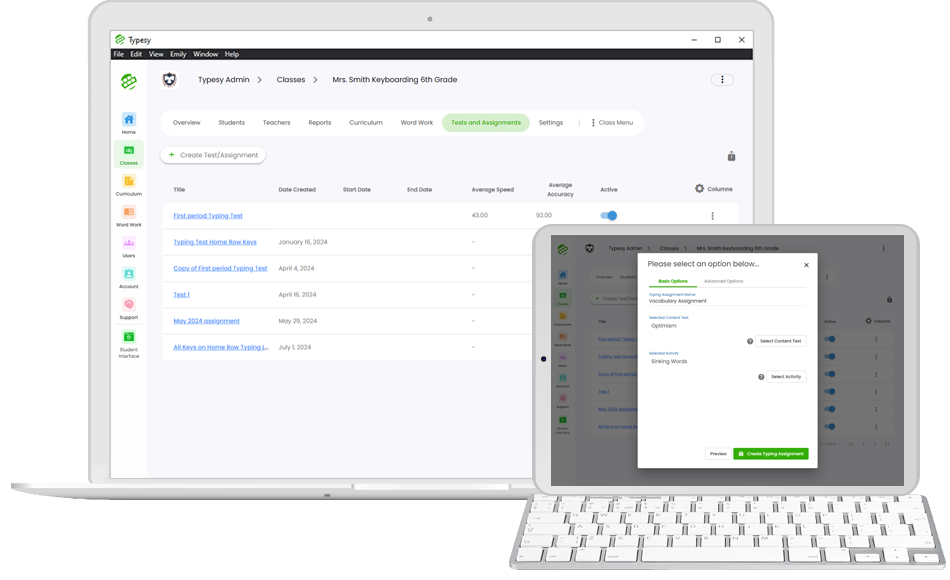
Typesy makes testing and grading fast and effortless. In just a few clicks, teachers can push out tests and automatically grade them.
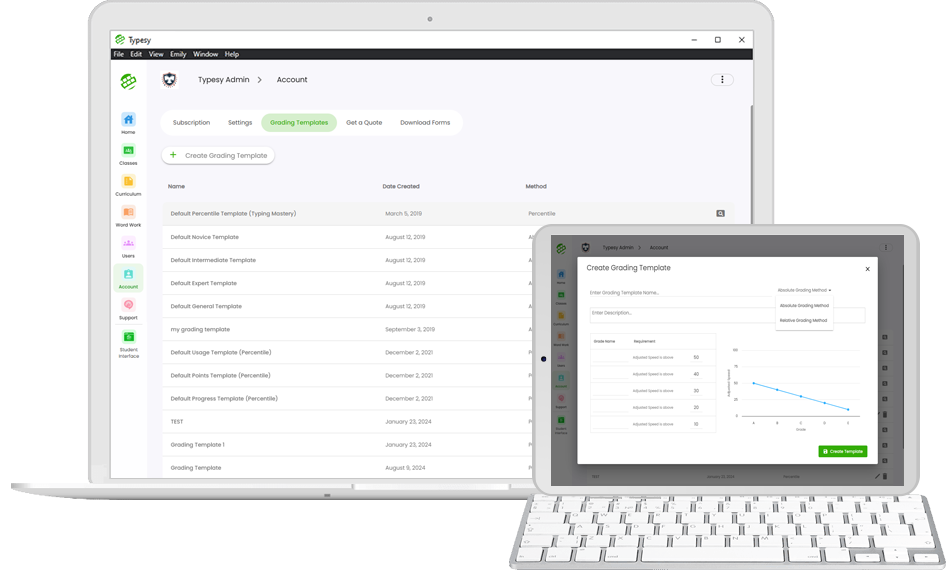
Not only can Typesy automatically grade tests, it can also generate grades based on course progress, points, usage, and typing performance. Typesy's flexible grading model allows teachers to switch between absolute and relative grading, and even adjust the grade cutoffs.
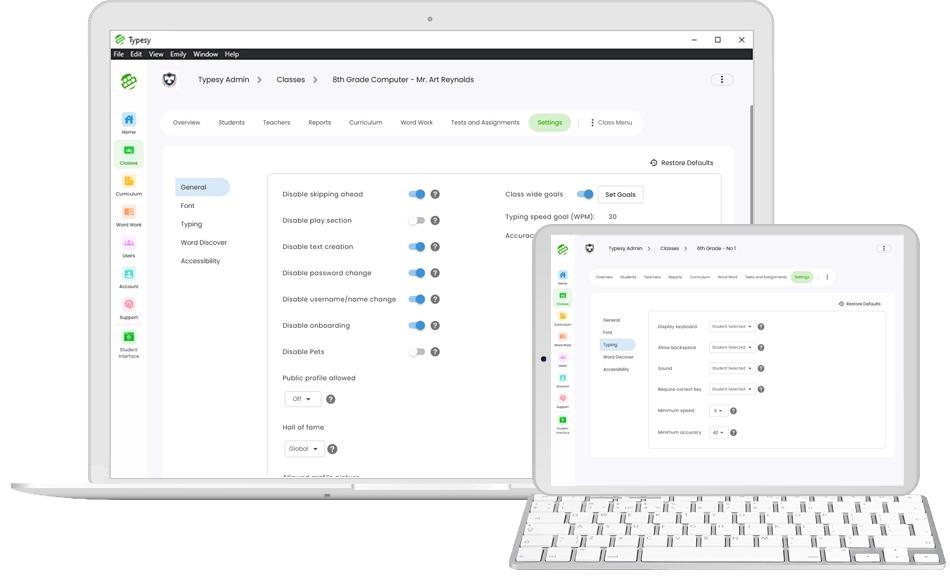
Typesy recognizes that not all classes and schools have the same needs. That's why it's easy to change virtually any setting or behavior at the class or student level.
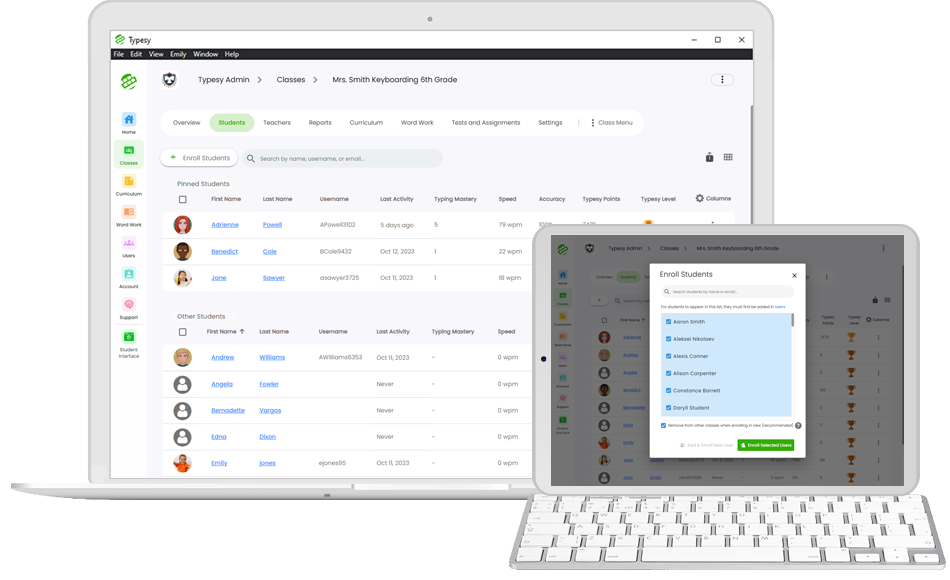
Typesy's online interface allows easy administration of students and users. Import students, set up classes, and reset passwords in minutes.
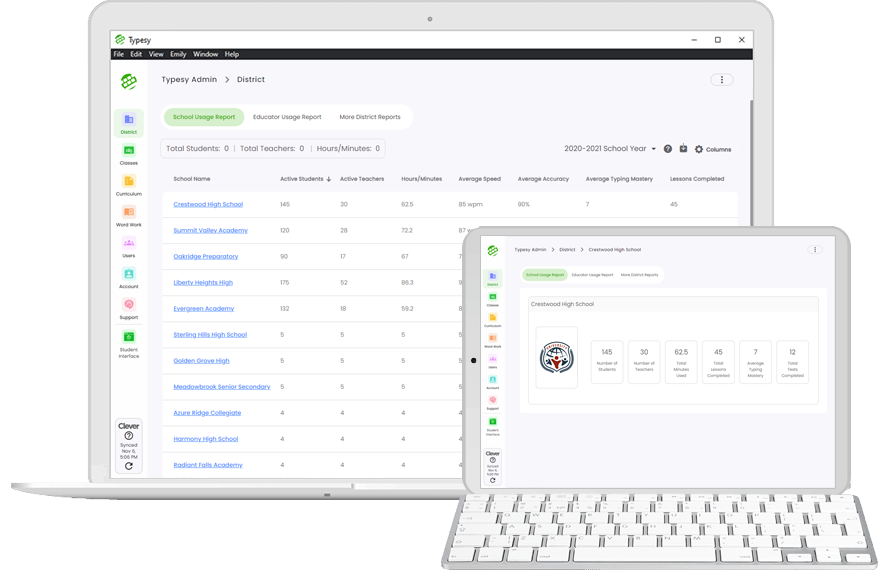
See usage statistics and be confident your school or district is making the most of Typesy.
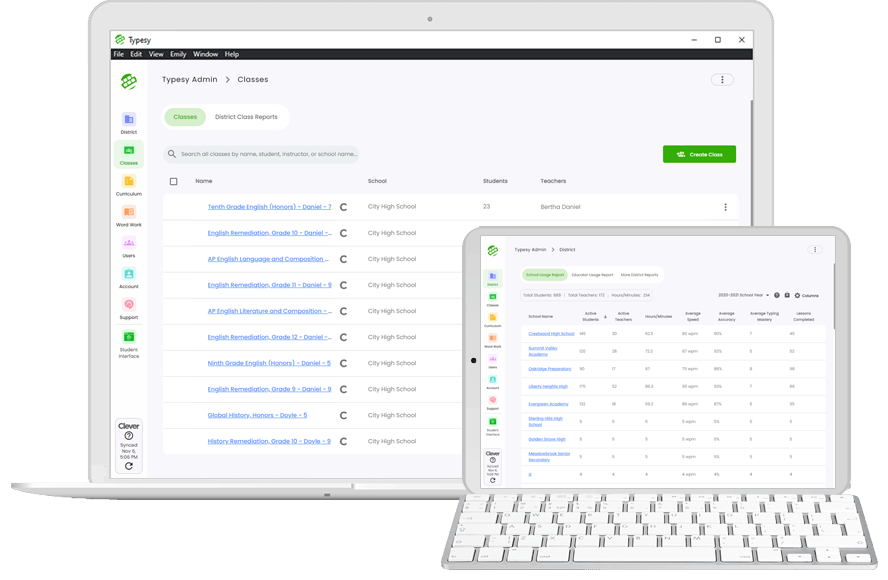
Typesy supports powerful district administration features. A district administrator can set up and administer schools and classes. They can also get detailed stats on school usage, performance, teacher usage, and more.
Typesy gives teachers complete visibility and easy control. At a quick glance, you can see how the class is doing, how each student is doing, and who needs help. And if you prefer to be hands-on, you can drill down to see detailed reports for each student. Data is updated "live" in front of your eyes as students type.
Typesy makes it super easy for teachers or admins to assign curricula and word lists to schools and classes.
Typesy makes testing and grading fast and effortless. In just a few clicks, teachers can push out tests and automatically grade them.
Not only can Typesy automatically grade tests, it can also generate grades based on course progress, points, usage, and typing performance. Typesy's flexible grading model allows teachers to switch between absolute and relative grading, and even adjust the grade cutoffs.
Typesy recognizes that not all classes and schools have the same needs. That's why it's easy to change virtually any setting or behavior at the class or student level.
Typesy's online interface allows easy administration of students and users. Import students, set up classes, and reset passwords in minutes.
See usage statistics and be confident your school or district is making the most of Typesy.
Typesy supports powerful district administration features. A district administrator can set up and administer schools and classes. They can also get detailed stats on school usage, performance, teacher usage, and more.
At Typesy, we understand that not every class learns the same way, and teachers are often under pressure to fit everything in. That’s why we designed Typesy to cater to a range of learning approaches. Typesy can teach students “almost automatically” using just their spare time. Or it can be made a part of the class plan and even take center stage in learning. Whatever approach you choose, Typesy provides extensive class plans and teacher support.

Typesy is the leading premium keyboarding program. Thousands of top schools and districts rely on Typesy every day. See some of our happy customers here.

 We are certified for 1EdTech Data Privacy Standards under registration IMSP1et2025W1
 We are certified for the A4L Student Data Privacy Consortium
 We pledged to embed Secure by Design principles throughout product development
 We are part of the 11-State Data Privacy Agreement under The Education Cooperative
Some lower-end keyboarding programs are notorious for distracting students with invasive ads, which are often of an inappropriate nature. Not only are these ads harmful and distracting – your student data is also accessed by third-party ad networks for further exploitation. At Typesy, we pledge to never show ads to students, and to never sell student data. Typesy also follows established privacy standards. All this means students can focus on learning rather than being influenced by large corporations or political movements.
As a cutting-edge premium program, Typesy is designed to work with all the technology at your school. Quickly provision student accounts and organize them into classes by syncing with Google Classroom, Clever, ClassLink, or Canvas. You can import from CSV or enter students in a flash, and we can even take care of the whole process for you at no additional cost.


Students can log in on any computer on campus, and instantly access the same account, results, and course progress. You can even allow students to log in at home or on their laptops.

Your subscription comes with premium, unlimited phone support for teachers and administrators. Whenever you need some help, just give us a call.

Typesy web, desktop, mobile, and Chrome apps update automatically to ensure your software is always running smoothly on the latest version.
Your dedicated support rep will work with your IT people to set up Typesy. We do everything for you. Concierge service is free with your subscription.
Your subscription comes with premium, unlimited phone support for teachers and administrators. Whenever you need some help, just give us a call.
Typesy web, desktop, mobile, and Chrome apps update automatically to ensure your software is always running smoothly on the latest version.
Your dedicated support rep will work with your IT people to set up Typesy. We do everything for you. Concierge service is free with your subscription.