
Audio gear is a constant companion in modern digital life. From online classes and video meetings to focused typing practice and creative work, headphones and speakers shape how we interact with our devices. Yet many people overlook how audio setups affect posture, comfort, and long-term health.
Poorly positioned headphones or speakers can contribute to neck strain, shoulder tension, and listening fatigue. Over time, these issues can disrupt focus, reduce typing efficiency, and even lead to chronic discomfort. The good news is that small ergonomic adjustments can make a significant difference. With a thoughtful setup, you can enjoy clear sound without sacrificing physical well-being.
Headphones: Comfort, Fit, and Healthy Posture
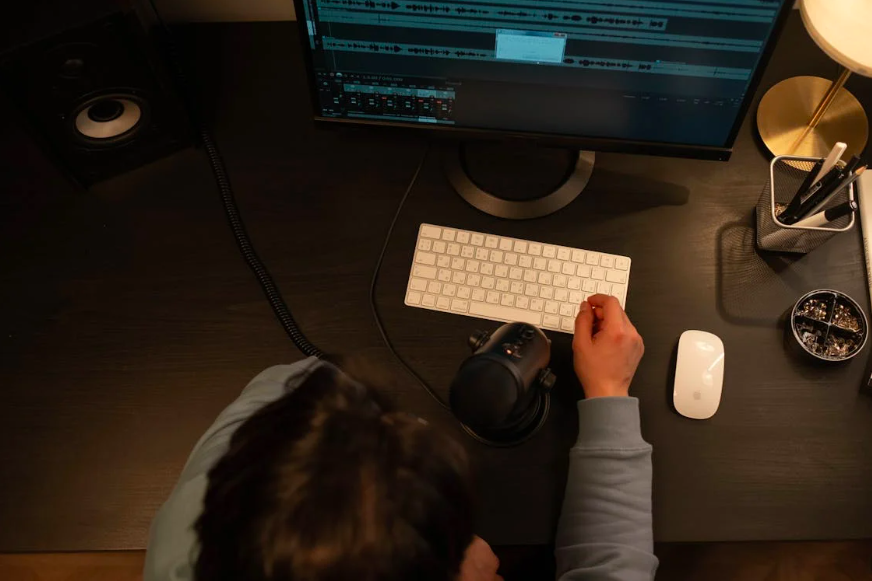
Headphones are popular for their clarity and privacy, but they require careful consideration. Weight, clamping force, and fit all influence comfort during extended use. Heavy or overly tight headphones can encourage poor posture, causing users to tilt their heads forward or tense their shoulders unconsciously.
Start by choosing headphones that feel balanced and adjustable. The headband should sit comfortably without pressing too hard, and ear cups should fully cover the ears without pinching. When headphones fit correctly, users are less likely to shift into awkward positions while typing or reading.
Listening volume is another key ergonomic factor. High volume levels can cause listening fatigue, prompting users to lean closer to screens or tense their bodies. Keeping volume at a moderate level supports both hearing health and healthy digital workstation habits. If you frequently increase volume to block background noise, consider noise-canceling features instead of louder sound.
Wired headphones also deserve attention. Cables that are too short or poorly routed can pull on the head or restrict movement, subtly affecting posture. Position devices so cables fall naturally without tension, allowing relaxed shoulders and a neutral head position.
For students and professionals who spend hours typing, comfort matters. When headphones are ergonomically sound, users can maintain proper posture, keep wrists aligned, and focus on building speed and accuracy at the keyboard. Audio comfort and typing performance are more connected than many people realize.
Master Typing & Digital Skills with Typesy!
Go beyond keyboarding—Typesy helps you boost digital literacy, productivity, and efficiency in today’s tech-driven world.



Speakers: Placement That Supports Focus and Alignment

Speakers offer a different ergonomic experience. They reduce pressure on the head and ears but require thoughtful placement to avoid strain. Improperly positioned speakers can cause users to twist their necks or lean toward one side, especially during long listening sessions.
The ideal speaker setup places sound at ear level and directly in front of the listener. Speakers positioned too low or off to the side encourage head rotation, which can lead to neck stiffness over time. Aligning speakers with the monitor helps maintain a forward-facing posture, supporting both listening and typing tasks.
Distance also matters. Speakers that are too close can feel overwhelming, while those too far away may tempt users to lean forward. Aim for a balanced distance that allows clear sound at a comfortable volume. This setup supports ergonomic posture for typing and learning, keeping the spine aligned and shoulders relaxed.
Room acoustics play a role as well. Hard surfaces can reflect sound, increasing volume and fatigue. Simple adjustments—like adding soft furnishings or adjusting speaker angles—can improve clarity without raising volume. Clearer sound reduces the need for physical adjustments that strain the body.
Speakers can be especially helpful during collaborative learning or shared workspaces. When used correctly, they promote a more open posture and reduce pressure points associated with prolonged headphone use. Alternating between headphones and speakers throughout the day can also support physical balance and comfort.
Supporting Long-Term Digital Comfort
Ergonomic audio setups are not just about comfort in the moment; they contribute to sustainable digital habits. When the body is supported, the mind can focus on learning, communication, and skill-building. This is particularly important for activities like typing, where posture, hand position, and concentration work together.
Children and students benefit greatly from early exposure to good ergonomics. Teaching them how to adjust headphones, position speakers, and sit properly during typing practice reinforces smart screen-time ergonomics for families. These habits often carry into adulthood, reducing the risk of repetitive strain and fatigue.
Regular breaks are another essential component. Even with a perfect setup, staying in one position for too long can cause discomfort. Encourage short pauses to stretch, reset posture, and rest the ears. These breaks help maintain typing accuracy and overall focus.
Audio gear should support, not hinder, digital learning and productivity. By paying attention to fit, placement, and listening habits, users can create an environment that feels natural and sustainable. Comfort leads to consistency, and consistency supports long-term skill growth.
Not on Typesy Yet? You're Missing Out!
Master typing, boost productivity, and enhance digital literacy with Typesy—the leading platform for adaptive and engaging typing education. Whether you're an individual learner, a homeschool educator, or managing a classroom, Typesy has the perfect solution for you!
Choose Your Ideal Experience:
 Get Started with Typesy Today! – Transform the way you learn and teach typing!