Typing in specialized fields like coding and data entry requires more than general typing speed—it demands precision, patterns, and purposeful technique. Programmers navigate symbols, brackets, and shortcuts constantly, while data entry professionals rely on accuracy and consistency above all. Strengthening your typing foundation helps you work smarter, faster, and with fewer mistakes.
Both fields rely on muscle memory, focus, and efficiency. When you improve your typing technique, you reduce cognitive load, meaning your brain has more room for logic, problem-solving, and attention to detail. With the right strategies, you can build a workflow that feels natural and supports long-term productivity.
Core Typing Skills for Coders

Coding has a unique rhythm. Unlike standard writing, programmers frequently use symbols, indentation, and structured formatting. Touch typists who code benefit from practicing not just the alphabet, but also the symbols that appear in nearly every programming language.
One of the most helpful habits is becoming comfortable with your keyboard layout. Many coders switch between letters, brackets, hyphens, and slashes quickly. Developing strong familiarity with these keys helps your hands move confidently without losing your place.
Another essential skill is learning when to rely on shortcuts. IDEs, code editors, and browser-based tools often include features that make typing easier and faster. To use these tools effectively, you need efficient keyboard workflows that reduce time spent clicking or navigating menus.
Accuracy matters more than speed in code. A single typo can break a program or introduce a bug that takes hours to find. Practicing slow, deliberate typing can help you build reliable muscle memory. Over time, your speed increases naturally without sacrificing precision.
Master Typing & Digital Skills with Typesy!
Go beyond keyboarding—Typesy helps you boost digital literacy, productivity, and efficiency in today’s tech-driven world.



Typing Techniques for Data Entry Work
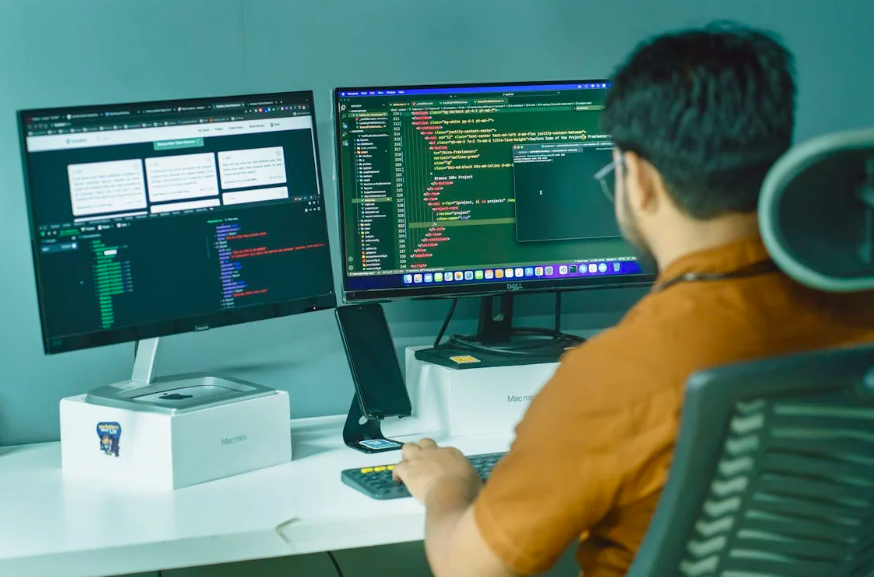
Data entry requires exceptional focus, speed, and consistency. Professionals often work with large datasets, strict formatting rules, and deadlines that require steady pace. Touch typing offers a major advantage here—you can keep your eyes on the screen while your fingers handle the input.
To excel, start by strengthening your number-row and keypad skills. Many data entry professionals rely heavily on the number pad because it allows faster input with minimal movement. Practicing patterns, sequences, and repetitive rows helps increase your comfort with numbers and symbols.
Another key skill is recognizing patterns within the data. When your brain anticipates the structure of the information, your hands can follow more easily. This is where digital accuracy habits come into play—routines that help you double-check your work without slowing down your pace dramatically.
Speed also grows when you’re able to maintain a smooth rhythm. Data entry is often repetitive, making it ideal for developing workflow routines. Clear posture, lighting, and ergonomic support help prevent fatigue and encourage steadier output.
Typing platforms like Typesy help you develop both precision and muscle memory through structured lessons and targeted drills. Whether you’re preparing for professional work or simply want to sharpen your skills, a guided system keeps you building the right habits.
Finally, both coders and data entry workers benefit from cultivating focused digital work environments. Reducing distractions, organizing your workspace, and setting specific goals help your typing stay sharp and accurate throughout every project.
Not on Typesy Yet? You're Missing Out!
Master typing, boost productivity, and enhance digital literacy with Typesy—the leading platform for adaptive and engaging typing education. Whether you're an individual learner, a homeschool educator, or managing a classroom, Typesy has the perfect solution for you!
Choose Your Ideal Experience:
 Get Started with Typesy Today! – Transform the way you learn and teach typing!