

A desk may seem like a simple piece of furniture, but the material you choose can have a real impact on comfort, focus, and productivity—especially for students and adults who spend hours typing each day. Ergonomics isn’t only about chair height and monitor placement. The surface beneath your hands matters too.
Wood, metal, and glass desks each bring distinct advantages and drawbacks. Understanding how these materials affect typing comfort, posture, and learning habits can help you build a workspace that supports long-term digital success.
Wood Desks: Warm, Stable, and Typing-Friendly
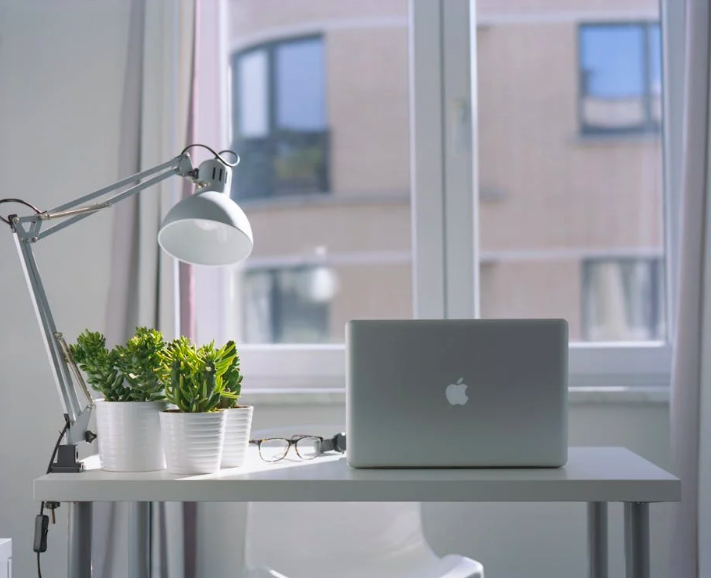
Wood desks are a popular choice for home offices, classrooms, and study spaces—and for good reason. They offer a solid, stable surface that minimizes vibration while typing, which can help reduce unnecessary strain on the wrists and forearms.
From an ergonomic perspective, wood tends to feel warmer and more forgiving than other materials. This can make longer typing sessions more comfortable, especially in cooler environments. Many learners find that a wood surface reduces distractions and supports comfortable typing posture, allowing them to focus on accuracy and flow.
Wood desks also absorb sound better than glass or metal. For students practicing touch typing or working through digital lessons, quieter keystrokes can create a calmer learning environment. This is especially helpful in shared spaces or homeschooling setups.
However, wood desks can be heavier and may show wear over time. Scratches, dents, and stains are possible, particularly in busy learning spaces. Choosing a durable finish and maintaining the surface properly can extend the desk’s lifespan.
For learners building consistent typing habits, a wood desk often provides a reliable foundation that supports both physical comfort and concentration.
Master Typing & Digital Skills with Typesy!
Go beyond keyboarding—Typesy helps you boost digital literacy, productivity, and efficiency in today’s tech-driven world.



Metal and Glass Desks: Sleek Style vs. Practical Comfort
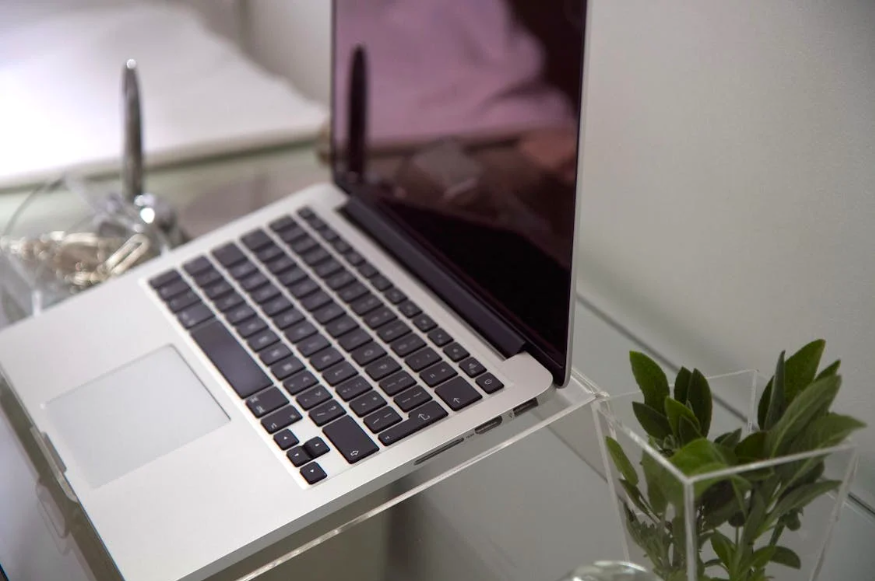
Metal desks are known for their durability and modern appearance. They’re often lightweight, easy to clean, and resistant to everyday wear. In tech-focused environments, metal desks can feel professional and efficient.
That said, metal surfaces may feel cold to the touch and can amplify vibrations from typing. Over long sessions, this may lead to discomfort or fatigue, particularly for younger students or beginners still developing typing stamina. Pairing a metal desk with a desk mat or wrist support can help offset these issues and support ergonomic desk setup basics.
Glass desks are visually striking and can make small spaces feel more open. They’re easy to wipe clean and fit well in minimalist setups. However, from an ergonomic standpoint, glass has notable drawbacks.
Glass surfaces reflect light, which can increase glare and eye strain—especially when combined with screens. Typing on glass can also be noisier, and the hard surface offers no forgiveness for wrists or hands during extended practice. For learners focused on building speed and accuracy, these factors can interfere with comfort and consistency.
Safety is another consideration. While tempered glass is strong, it can still crack or chip. In homes with younger students, this may not be the most practical option.
When choosing between metal and glass, it’s important to weigh aesthetics against how the desk will be used daily. For typing-heavy tasks, comfort and stability should take priority over style alone.
Matching Desk Material to Digital Learning Needs
The best desk material ultimately depends on how the workspace supports learning goals. Students practicing typing, completing digital assignments, or engaging in online lessons benefit most from a surface that encourages proper posture and sustained focus.
Typing is a repetitive skill. When the desk surface causes discomfort, noise, or distraction, it can slow progress and reduce motivation. Choosing materials that align with healthy digital learning environments helps learners stay engaged and confident.
It’s also worth considering flexibility. Desk accessories like keyboard trays, mats, and adjustable chairs can improve ergonomics regardless of material. These tools allow families and educators to adapt desks to different ages, heights, and typing skill levels.
An ergonomic desk isn’t about perfection—it’s about support. When learners feel physically comfortable, they’re more likely to practice consistently, build fluency, and enjoy the process of developing digital skills.
A thoughtful desk choice sends a simple but powerful message: the learning environment matters.
Not on Typesy Yet? You're Missing Out!
Master typing, boost productivity, and enhance digital literacy with Typesy—the leading platform for adaptive and engaging typing education. Whether you're an individual learner, a homeschool educator, or managing a classroom, Typesy has the perfect solution for you!
Choose Your Ideal Experience:
 Get Started with Typesy Today! – Transform the way you learn and teach typing!
