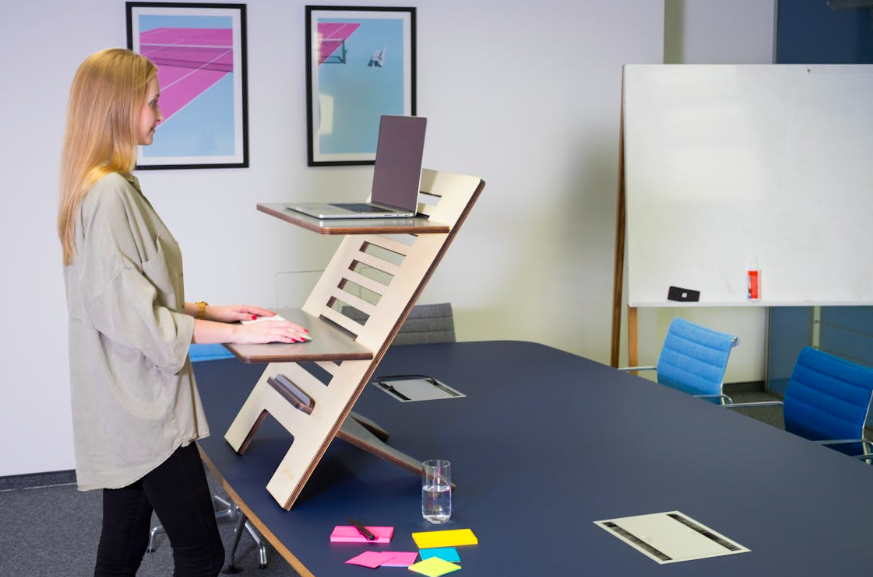
Adjustable desks have become a popular solution for students, professionals, and home learners who want more comfort and flexibility in their daily routines. But owning a sit-stand desk is only the first step. How you set it up—and how you use it—makes all the difference in reducing strain, improving focus, and supporting healthy typing habits.
For beginners, adjustable desks can feel overwhelming. Height ranges, monitor placement, and posture adjustments all matter. The good news? With a few simple guidelines, you can create a workstation that supports both productivity and well-being.
Finding the Right Desk Height for Sitting and Standing
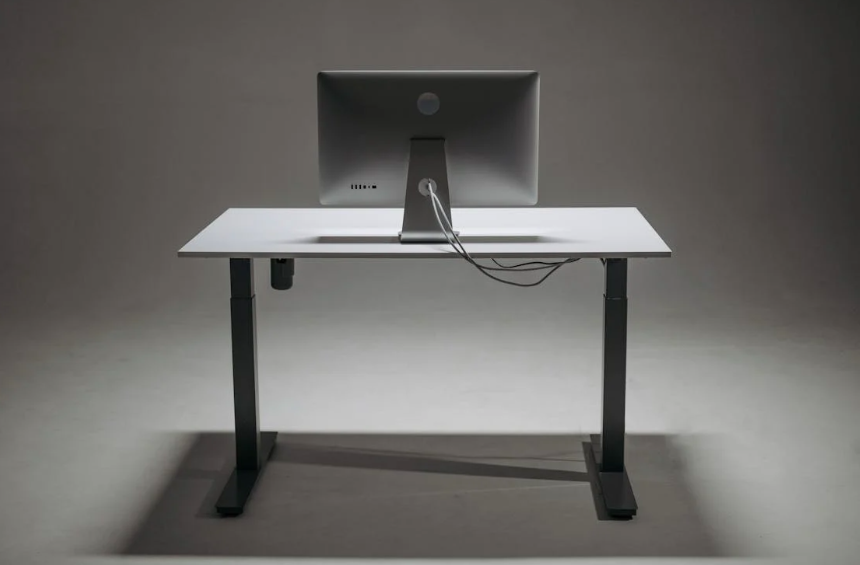
The foundation of an ergonomic setup is desk height. When seated, your elbows should rest comfortably at about a 90-degree angle, with your forearms parallel to the floor. This position allows your hands to float naturally over the keyboard without excessive wrist bend.
For typing, this alignment is especially important. Proper desk height supports relaxed shoulders and neutral wrists, reducing fatigue during longer typing sessions. Over time, this setup reinforces proper typing posture and ergonomics, which helps prevent strain and improves accuracy.
When standing, the same elbow rule applies. Raise or lower the desk so your elbows remain close to your sides and your screen stays at eye level. Avoid locking your knees—standing should feel active, not rigid.
Monitor placement is just as important as desk height. The top of your screen should be at or slightly below eye level, about an arm’s length away. This reduces neck strain and keeps your head in a neutral position, whether you’re reading, typing, or video conferencing.
Many beginners make the mistake of adjusting everything at once. Instead, change one element at a time. Small, intentional adjustments help your body adapt and make it easier to identify what feels right.
Remember, ergonomics isn’t about perfection—it’s about finding positions that support comfort and consistency throughout the day.
Master Typing & Digital Skills with Typesy!
Go beyond keyboarding—Typesy helps you boost digital literacy, productivity, and efficiency in today’s tech-driven world.



Building Healthy Habits Around Your Adjustable Desk
An adjustable desk is most effective when paired with healthy movement habits. Alternating between sitting and standing every 30 to 60 minutes helps reduce stiffness and keeps energy levels steady. Think of movement as part of your workflow, not a disruption.
Typing efficiency benefits from this balance as well. Standing occasionally can improve alertness, while sitting supports fine motor control for detailed typing tasks. Over time, switching positions helps develop typing endurance and comfort, especially during long study or work sessions.
Keyboard and mouse placement should remain consistent in both modes. Keep them close enough to avoid reaching and ensure your wrists stay straight. If needed, consider a keyboard tray or slight desk tilt to maintain comfort.
Foot support is another often-overlooked detail. When sitting, your feet should rest flat on the floor or on a footrest. When standing, supportive shoes or an anti-fatigue mat can reduce pressure on your lower body and encourage subtle movement.
Adjustable desks also offer a chance to reset digital habits. A well-organized, ergonomic workspace reduces distractions and encourages intentional use of technology. This supports focused digital learning environments, where learners can concentrate on skill-building instead of discomfort.
It’s also helpful to listen to your body. Mild soreness during the first few days is normal, but sharp pain or persistent discomfort is a sign that adjustments are needed. Ergonomics is a dynamic process, not a one-time setup.
Finally, remember that tools support skills—but they don’t replace them. Strong typing fundamentals, good posture awareness, and regular breaks work together with your desk to create a healthier, more productive routine.
An adjustable desk isn’t just furniture—it’s an investment in how you learn, work, and type every day. With thoughtful setup and mindful habits, it can support you for years to come.
Not on Typesy Yet? You're Missing Out!
Master typing, boost productivity, and enhance digital literacy with Typesy—the leading platform for adaptive and engaging typing education. Whether you're an individual learner, a homeschool educator, or managing a classroom, Typesy has the perfect solution for you!
Choose Your Ideal Experience:
 Get Started with Typesy Today! – Transform the way you learn and teach typing!