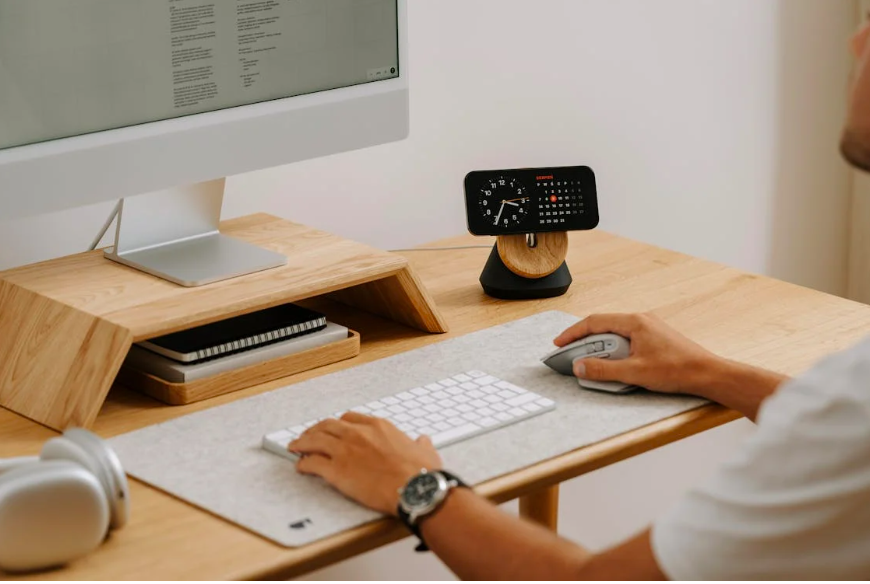
A cluttered workstation can quietly drain focus, increase stress, and even affect how comfortably you type. When supplies pile up and tools are hard to find, mental energy gets diverted away from learning and productivity. Creating an organized, ergonomic workspace isn’t about perfection—it’s about making your environment work for you.
For students, educators, and remote learners alike, a clutter-free workstation supports better posture, smoother workflows, and more consistent typing performance. With a few intentional strategies, anyone can transform their desk into a space that encourages focus and efficiency.
Why Organization Matters for Ergonomics and Focus

Ergonomics isn’t just about chairs and screens—it also includes how supplies are arranged and accessed. When frequently used items are out of reach or buried under clutter, users tend to twist, reach awkwardly, or shift posture repeatedly. Over time, these small movements can add up to discomfort and distraction.
An organized workstation reduces unnecessary motion and supports natural movement. For typing tasks, this means keeping keyboards, mice, and writing tools positioned so hands and wrists stay relaxed. A clear surface also allows for better keyboard placement, which directly impacts comfort and accuracy during extended typing sessions.
Mental focus is another key benefit. Visual clutter competes for attention, especially during reading, writing, or typing-heavy activities. When the desk is streamlined, the brain can concentrate on the task instead of filtering out distractions. This supports focus-friendly learning environments that are essential for digital education.
Organization also saves time. Knowing exactly where supplies live—whether it’s headphones, notebooks, or chargers—reduces interruptions and keeps learning sessions flowing smoothly. These small efficiencies add up, especially during busy school days or remote work schedules.
Importantly, organization doesn’t mean removing everything. It means keeping what’s useful and accessible, and storing the rest intentionally. The goal is balance, not emptiness.
Master Typing & Digital Skills with Typesy!
Go beyond keyboarding—Typesy helps you boost digital literacy, productivity, and efficiency in today’s tech-driven world.



Practical Tips for a Clutter-Free Workstation

Start by grouping supplies by function. Typing tools (keyboard, mouse, wrist rest), writing tools (pens, notebooks), and tech accessories (chargers, headphones) should each have their own designated zone. This makes it easier to maintain order and reduces decision fatigue.
Prioritize what you use daily. Items used for typing and digital work should be within arm’s reach. Less frequently used supplies can be stored in drawers, bins, or shelves. This approach supports healthy typing posture by minimizing unnecessary reaching or leaning.
Use vertical space wisely. Desk organizers, monitor shelves, or wall-mounted storage free up surface area while keeping essentials visible. This is especially helpful for smaller desks or shared workspaces.
Cable management is often overlooked but makes a big difference. Tangled cords create visual clutter and limit movement. Simple solutions like cable clips or sleeves keep cords contained and prevent interference with typing or mouse use.
Digital organization matters too. A clutter-free desk pairs well with an organized digital workspace. Keeping files, notes, and documents neatly labeled reduces cognitive overload and supports productive digital habits that mirror physical organization.
Encourage regular resets. A quick end-of-day tidy—putting supplies back in place and clearing the surface—prevents clutter from building up. This habit makes it easier to start fresh the next day without added stress.
For students, involving them in organizing their own workspace builds ownership and responsibility. Letting learners choose storage solutions or layouts increases the likelihood they’ll maintain the system.
Finally, revisit your setup periodically. As learning needs change, so should the workspace. New subjects, devices, or schedules may require small adjustments to keep the desk functional and comfortable.
A clutter-free workstation isn’t about aesthetics—it’s about supporting how you learn and work. When supplies are organized with intention, typing becomes more comfortable, focus improves, and digital tasks feel more manageable. With thoughtful organization, your desk can become a powerful tool for learning success.
Not on Typesy Yet? You're Missing Out!
Master typing, boost productivity, and enhance digital literacy with Typesy—the leading platform for adaptive and engaging typing education. Whether you're an individual learner, a homeschool educator, or managing a classroom, Typesy has the perfect solution for you!
Choose Your Ideal Experience:
 Get Started with Typesy Today! – Transform the way you learn and teach typing!