
A comfortable learning environment can make a meaningful difference in how students approach their daily tasks. Whether they are attending online lessons, researching assignments, or practicing typing, the way their workspace is arranged can affect their comfort and concentration. One often-overlooked detail is screen placement.
A monitor positioned too high, too low, or too far away may encourage awkward posture and make it harder to stay comfortable during extended computer use. Students might lean forward to read small text, tilt their heads to see the screen, or repeatedly adjust their positions throughout a lesson.
Fortunately, improving screen placement does not require expensive equipment. A few practical adjustments can help create a more comfortable workspace that supports better learning habits.
Find the Right Screen Position for Comfort

The first step is positioning the screen so it can be viewed naturally without repeatedly bending the neck or leaning forward. For many seated computer users, placing the top of the screen at or slightly below eye level is a useful starting point. However, the ideal position depends on screen size, individual height, eyesight, and whether the user wears bifocals or other corrective lenses.
Distance matters, too. A screen should generally be far enough away to allow comfortable viewing without forcing the user to squint or lean closer. Many people find that approximately an arm’s length works as an initial guide, although the appropriate distance varies with the display and text size.
If a laptop screen sits too low, a stable stand or riser may help bring it closer to eye level. When raising a laptop, use a separate keyboard and mouse so the hands and arms can remain in a comfortable position. The goal is to adjust the equipment to the user rather than forcing the body to adapt to an awkward setup.
Screen angle can also influence comfort. Tilting the display slightly backward may help users view it without unnecessary head movement. Positioning the screen to minimize glare from windows and overhead lights can reduce visual distractions. Adjusting brightness and increasing text size when necessary may also make reading easier.
These changes are especially useful for students who spend considerable time reading digital textbooks, completing assignments, or practicing typing. A well-arranged workspace can make it easier to maintain a natural posture while concentrating on the task.
For more ideas on creating a suitable study environment, explore how to arrange a desk around individual needs. Small adjustments to the desk, chair, and equipment can work together to improve everyday comfort.
Create a Workspace That Supports Concentration
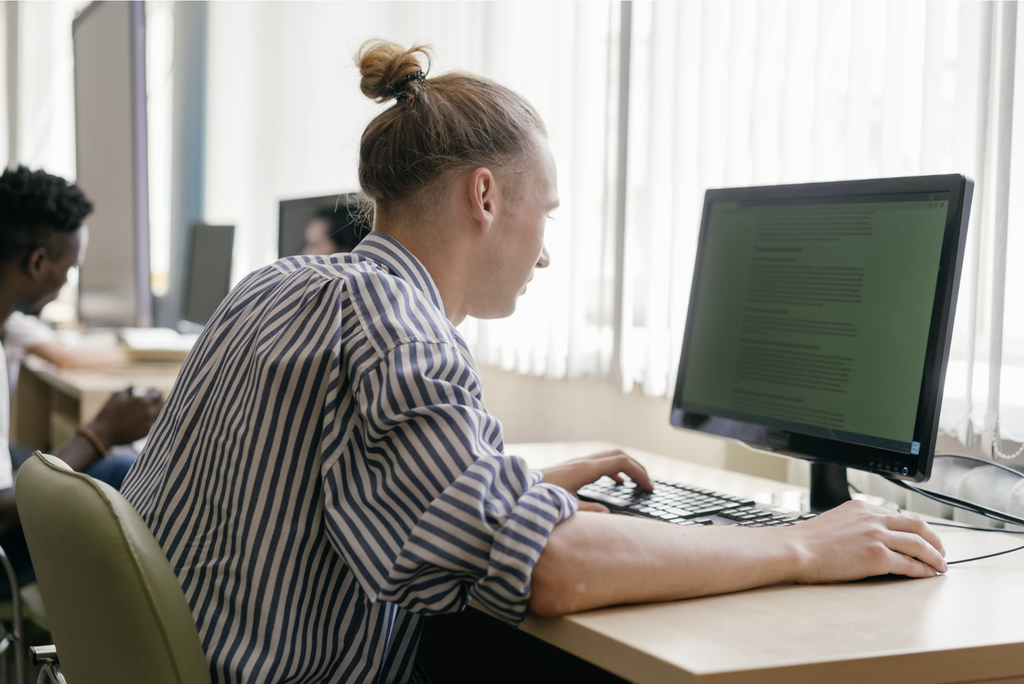
Correct screen placement is only one part of an effective workspace. The keyboard, chair, desk, lighting, and movement breaks all contribute to how comfortably students can work.
When typing, the keyboard should be positioned so the shoulders can relax and the elbows remain comfortably near the body. Wrists should stay relatively straight rather than bending sharply upward or sideways. If the screen is correctly positioned but the keyboard is too high or too far away, students may still develop uncomfortable habits.
Typing practice offers a useful opportunity to build awareness of these details. Children and adults learning touch typing can concentrate on finger placement, accuracy, and technique while maintaining a balanced sitting position. Developing consistent keyboard habits for everyday computer tasks can help learners work more efficiently without relying on unnecessary movements.
Master Typing & Digital Skills with Typesy!
Go beyond keyboarding—Typesy helps you boost digital literacy, productivity, and efficiency in today’s tech-driven world.


Lighting also deserves attention. Strong reflections on the screen can make text difficult to read, while a screen that is much brighter or darker than the surrounding environment may feel uncomfortable. Adjust the display and room lighting to create a clear, balanced view. If glare persists, changing the screen’s position or using curtains can help.
Even a well-designed workspace cannot eliminate the need for breaks. Encourage students to look away from the screen regularly, stand up, stretch gently, and move around between tasks. Following the 20-20-20 approach can be a helpful reminder: approximately every 20 minutes, look at something about 20 feet away for 20 seconds. This practice may help ease visual fatigue, although it does not replace appropriate vision care when symptoms persist.
A simple workspace check can become part of a student’s daily routine. Before beginning an online lesson, ask: Can I see the screen comfortably? Are my shoulders relaxed? Can I reach the keyboard without stretching? Is distracting glare affecting my view?
These questions encourage learners to recognize and correct problems before discomfort becomes a regular distraction. Parents and educators can help younger students make these adjustments and explain why healthy workspace habits matter.
It is also important to remember that concentration depends on more than ergonomics. Clear learning goals, manageable tasks, and fewer digital distractions all contribute to productive study sessions. A comfortable screen setup supports these habits by reducing avoidable physical discomfort and making it easier to focus on the work itself.
Ultimately, screen placement is a small adjustment with practical benefits. By positioning displays thoughtfully, arranging keyboards comfortably, improving lighting, and taking regular breaks, students can create a workspace that better supports learning. These habits encourage a healthier relationship with technology while helping learners approach reading, typing, and other digital activities with greater comfort and confidence.
Not on Typesy Yet? You're Missing Out!
Master typing, boost productivity, and enhance digital literacy with Typesy—the leading platform for adaptive and engaging typing education. Whether you're an individual learner, a homeschool educator, or managing a classroom, Typesy has the perfect solution for you!
Choose Your Ideal Experience:
 Get Started with Typesy Today! – Transform the way you learn and teach typing!